Free PDF Tools

How to Compress PDF on Android Free 2026 | No App Needed – Comfortable PDF

By Sarah Patel · March 26, 2026 · 5 min read · 13 views
How to Compress PDF on Android Free 2026 | No App Needed – Comfortable PDF

How to Compress PDF on Android Free 2026 | No App Needed

Need to compress a PDF on your Android phone or tablet without installing an app or paying for anything? This 2026 guide covers the fastest free method — plus how to compress on iPhone, Mac, and Windows — all without software downloads, watermarks, or signups.


Fastest free method for Android: ComfortablePDF's free Compress PDF tool — open Chrome on your Android phone, upload, compress, and download in under 30 seconds. No app install. No signup.


Does Android Have a Built-In PDF Compressor?

The short answer: No. Android does not include a native PDF compression tool in its stock operating system — unlike Mac, which has the Preview app.


This applies to all major Android brands:

        Samsung Galaxy: Samsung's built-in Files app can view PDFs but cannot compress them

        Google Pixel: The Files by Google app has no PDF compression feature

        OnePlus / Xiaomi / Oppo: No native PDF compressor exists in any Android OEM's stock file manager


The best free solution — on any Android device — is a browser-based tool that works in Chrome with no installation required.


Method 1: Compress PDF on Android Free — No App Install (Best Method)

Works on: Samsung, Pixel, OnePlus, Xiaomi, Oppo, Motorola, Realme — any Android phone or tablet running Android 8 or newer


Step-by-Step: Compress PDF on Android in Chrome

1.     Open Chrome on your Android phone (or any browser)

2.     Go to comfortablepdf.com/compress-pdf

3.     Tap "Upload PDF" — select your file from Downloads, Google Drive, or your file manager

4.     The tool compresses your PDF automatically using smart compression

5.     Tap "Download" — the compressed PDF saves to your Downloads folder


✓ Free  ✓ No app install  ✓ No signup  ✓ No watermark  ✓ Works on all Android phones and tablets


How to Open the Compressed PDF on Android

After downloading:

        Open the Files app (Samsung My Files, Google Files, or your manufacturer's file manager)

        Find the PDF in your Downloads folder

        Tap it to open in your default PDF viewer


You can also share it directly from the download notification — tap Share and send via WhatsApp, Gmail, Telegram, or any other app.


What Does Compressing a PDF Do? (And Why It Matters on Mobile)

Target keyword: what does compressing a pdf do — KD 17, 210 monthly searches


On Android, PDF compression is especially useful because mobile storage and data limits matter more. Here's exactly what happens when you compress a PDF:


        Image downsampling: Embedded photos and scans are reduced from 300 DPI (print quality) to 72–150 DPI (screen quality) — still perfectly readable on any screen but much smaller

        Metadata removal: Hidden author info, GPS data, revision history, and unused embedded fonts are stripped — these are invisible but take up space

        Content re-encoding: Text and vector data are rewritten using more efficient compression algorithms like JBIG2 and DEFLATE

        Layer flattening: Transparent overlays and annotation layers are merged into flat, efficient content


The result on Android: A compressed PDF loads faster, uploads to portals quickly on mobile data, and shares via WhatsApp or email without hitting attachment size limits — without any visible change to the document.


Why Compress a PDF on Your Android Phone?

Here are the most common scenarios where compressing a PDF on Android is essential:

        WhatsApp: WhatsApp limits document shares to 100MB — but even files below that limit benefit from compression for faster transfers

        Email attachments: Gmail, Outlook, and Yahoo Mail have 25MB attachment limits — compress large PDFs before attaching

        Government/bank portal uploads: Many portals require PDFs under 1MB, 500KB, or even 200KB — compression is the only solution

        Storage: Free up phone storage by compressing large scanned documents, bank statements, and reports

        Slow mobile data: Smaller files upload and download significantly faster on 3G/4G connections


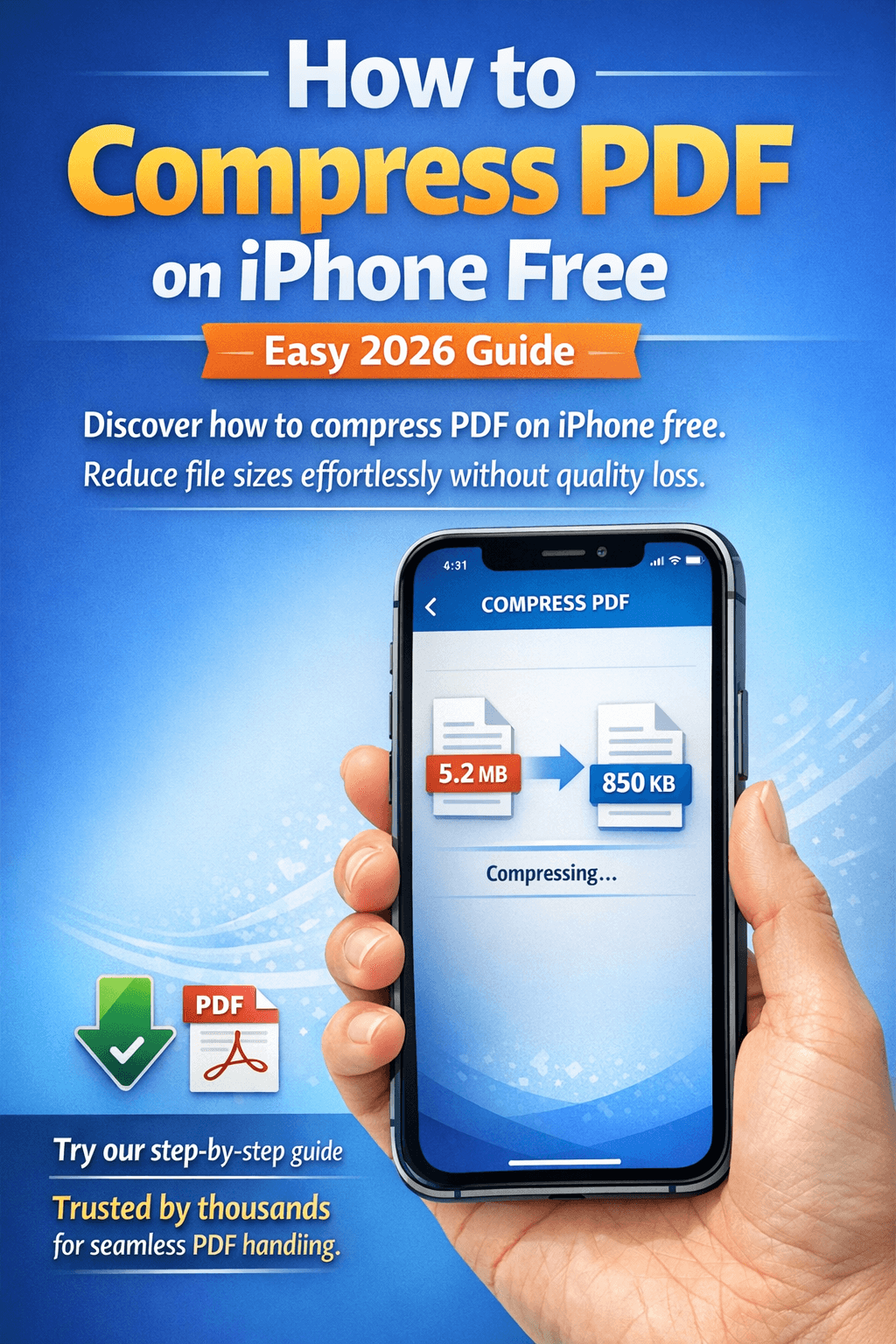
How to Compress a PDF on iPhone Free (Same Method, No App)

Best for: iPhone users on iOS 15 and later — works in Safari, Chrome, or any mobile browser


iPhone doesn't have a native PDF compressor either — just like Android, there's no built-in tool in the Files app. The fastest free method:


6.     Open Safari on your iPhone

7.     Go to comfortablepdf.com/compress-pdf

8.     Tap Upload and choose your PDF from Files or iCloud Drive

9.     Compress and download

10. Tap the downloaded file and choose "Save to Files" to keep it


Also works on iPad: The same browser method works on iPad in Safari or Chrome — perfect for compressing large PDFs from scanned documents or exported reports.


How to Compress a PDF on Mac Free Without Software

Target keyword: how to compress a pdf on mac — KD 19, 880 monthly searches


Best for: MacBook Air, MacBook Pro, iMac — macOS Ventura, Sonoma, Sequoia


Mac users have two free options:


Option A: ComfortablePDF in Safari (Best Quality)

11. Open Safari on your Mac

12. Go to comfortablepdf.com/compress-pdf

13. Upload your PDF, compress, and download


Best for all PDF types — especially scanned documents and image-heavy files where quality matters.


Option B: Mac Preview (Built-In, No Download)

14. Open your PDF in Preview

15. Go to File → Export as PDF

16. In the Quartz Filter dropdown, select "Reduce File Size"

17. Save the file


Warning: Preview's Quartz filter can severely degrade image quality on scanned PDFs. For image-heavy documents, use ComfortablePDF for better results.


How to Compress a PDF File on Mac Without Losing Quality

Target keyword: how to compress a pdf file in mac — KD 17, 50 searches


To compress without noticeable quality loss on Mac: always use ComfortablePDF's Compress tool rather than Preview's Quartz filter. It applies smart compression that targets redundant data first — reducing file size by 40–80% while keeping text sharp and images readable.


How to Compress a PDF with Foxit (Mobile & Desktop)

Target keywords: compress pdf with foxit (KD 19, 110 vol), foxit reader compress pdf (KD 19, 90 vol), compress pdf foxit (KD 19, 30 vol)


Foxit PDF Editor is a popular Adobe Acrobat alternative available on both desktop and mobile. Here's what you need to know about using it to compress PDFs:


Foxit PDF Editor Mobile App (Android & iOS)

Foxit has a free mobile app (Foxit PDF Reader) on the Google Play Store and Apple App Store. The free version can open and view PDFs but compression requires the Foxit PDF Editor paid subscription.


If you want truly free PDF compression on Android or iPhone, ComfortablePDF in Chrome is the no-cost, no-subscription alternative.


Foxit PDF Editor Desktop (Windows & Mac)

If you already have a Foxit PDF Editor subscription on desktop:

18. Open your PDF in Foxit PDF Editor

19. Go to File → Reduce File Size or File → PDF Optimizer

20. Choose your compression settings — image quality, color mode, font stripping

21. Save the optimized file


Note: Foxit Reader (the free version) does not include compression. Only Foxit PDF Editor (paid) has this feature.


How to Compress a PDF in Bluebeam Revu

Target keywords: compress pdf in bluebeam (KD 7 — very low!), compress pdf bluebeam (KD 9, 110 vol), how to compress pdf in bluebeam (KD 7, 90 vol)


Bluebeam Revu is used widely in architecture, engineering, and construction (AEC). PDF compression in Bluebeam is available through the desktop application.


Step-by-Step: Compress PDF in Bluebeam

22. Open your PDF in Bluebeam Revu

23. Go to Document → Reduce File Size

24. In the dialog, set Color Images DPI to 150 (from 300) for most use cases — this halves image data with minimal visible loss

25. Enable "Discard unused objects" and "Strip metadata" for additional size reduction

26. Click OK and save the compressed file


Bluebeam on mobile: Bluebeam does not have an Android or iPhone app with compression capability. For compressing Bluebeam-generated PDFs on mobile, use ComfortablePDF in Chrome.


No Bluebeam license? Use ComfortablePDF's free Compress PDF tool — it handles Bluebeam-generated PDFs (architectural drawings, engineering reports, construction documents) just as well.


How to Compress a PDF with Adobe Acrobat

Target keyword: how to compress pdf with acrobat — KD 14, 70 monthly searches


Adobe Acrobat Mobile App (Android & iOS)

Adobe Acrobat has a mobile app for Android and iPhone. The free Acrobat Reader app cannot compress PDFs — compression requires an Acrobat Premium or Pro subscription ($9.99–$19.99/month).


Adobe Acrobat Pro Desktop (Windows & Mac)

27. Open the PDF in Adobe Acrobat Pro

28. Go to File → Save As → Reduced Size PDF (quick option)

29. Or for full control: File → Save As → Optimized PDF → opens the PDF Optimizer

30. In the optimizer, adjust Images (DPI, JPEG quality), Fonts, and Discard Objects settings

31. Click OK and save


Bottom line: If you don't already pay for Acrobat, there's no reason to subscribe just for compression. ComfortablePDF's Compress tool is free and works just as effectively for most documents.


How to Compress a PDF to a Specific Size on Android

Target keyword: compress pdf to 50kb (KD 19, 30 vol)


Many Android users need to compress a PDF to meet an upload limit — 50KB, 100KB, 200KB, 1MB. Here's how to approach different size targets:


Under 1MB or 2MB (Email & WhatsApp Limit)

A single pass through ComfortablePDF's Compress tool will bring most PDFs well under 1MB. Upload on Chrome, download, check size, done.


Under 200KB or 100KB (Government Portal Uploads)

This requires more aggressive steps:

        Text PDFs (contracts, reports): Usually compress easily below 100KB — use ComfortablePDF once

        Scanned documents: Try compressing first. If still too large, use Split PDF to extract only the pages you need and compress just those

        Image-heavy PDFs: Consider whether you need all pages — delete unnecessary pages first, then compress the trimmed version


Under 50KB (Very Strict Limits)

For 50KB targets, the document usually needs to be very short (1–3 pages) and mostly text-based. For scanned images at 50KB, quality will be noticeably degraded. Consider:

        Submit only the specific page needed (use Split PDF to extract it)

        Check if a JPG version of the page is accepted instead of PDF

        Convert the PDF page to an image: PDF to JPG tool, then upload as an image file


Compress PDF for Email or WhatsApp on Android

The most common mobile use case: a PDF that's too large to send via Gmail or WhatsApp. Here's the quick workflow:


32. Open Chrome on Android → go to comfortablepdf.com/compress-pdf

33. Upload your PDF from Downloads or Google Drive

34. Download the compressed version

35. Open WhatsApp, Gmail, or Telegram → attach the compressed PDF from Downloads


Email attachment size limits: Gmail: 25MB | Outlook: 20MB | Yahoo: 25MB | Apple Mail: 20MB (Mail Drop for larger files)


WhatsApp document limit: 100MB per document. Compression helps with faster delivery even below this limit.


After Compressing Your PDF on Android — Useful Next Steps

        Sign the compressed PDF: Sign PDF — add an electronic signature before sending

        Merge with other PDFs: Merge PDF — combine the compressed file with other documents

        Password protect: Protect PDF — secure sensitive documents before sharing

        Add a watermark: Watermark PDF — mark as DRAFT or CONFIDENTIAL

        Organize pages: Organize PDF — remove unnecessary pages to reduce file size further

        Convert to Word: PDF to Word — make the compressed PDF editable


Compress PDF — All Devices Quick Guide

Android (Samsung, Pixel, OnePlus, etc.):

        No built-in compressor — use browser method

        ComfortablePDF in Chrome — free, no install, 30 seconds


iPhone / iPad (iOS):

        No built-in compressor in Files app

        ComfortablePDF in Safari — same browser method, works identically


Mac (MacBook Air, MacBook Pro, iMac):

        Built-in: Preview → File → Export as PDF → Quartz Filter (aggressive, avoid for image PDFs)

        Better: ComfortablePDF in Safari — smarter compression, better quality


Windows 10 / 11:

        No built-in PDF compressor

        ComfortablePDF in Chrome or Edge — free, no install


Desktop Apps (Paid):

        Adobe Acrobat Pro: $19.99/month — most control, not needed for basic compression

        Foxit PDF Editor: paid subscription — good quality, Foxit Reader (free) does NOT compress

        Bluebeam Revu: paid, best for AEC industry PDFs


All Free PDF Tools at ComfortablePDF

        Compress PDF – Reduce PDF size on Android, iPhone, Mac, Windows

        Merge PDF – Combine multiple PDFs into one

        Split PDF – Extract pages to reduce file size

        Organize PDF – Delete unnecessary pages before compressing

        PDF to JPG – Convert PDF pages to images

        Sign PDF – Sign documents on Android

        Protect PDF – Add password protection

        Watermark PDF – Add DRAFT or CONFIDENTIAL text

        PDF to Word – Convert PDF to editable Word

        Unlock PDF – Remove password protection


Frequently Asked Questions

How do I compress a PDF on Android for free?

Open Chrome on your Android phone, go to comfortablepdf.com/compress-pdf, upload your PDF, compress, and download. No app install, no signup, completely free. Works on all Android brands.


Does Android have a built-in PDF compressor?

No. Android — including Samsung, Google Pixel, OnePlus, and other brands — does not include a native PDF compression tool. The best free solution is using ComfortablePDF in your Chrome browser.


How do I compress a PDF on iPhone for free?

Open Safari on your iPhone, go to comfortablepdf.com/compress-pdf, upload your PDF from Files or iCloud Drive, compress, and download. No app needed.


What does compressing a PDF do?

Compression reduces the PDF's file size by downsampling images, stripping unused metadata, and re-encoding content more efficiently. The document remains fully readable but takes up much less space — making it faster to share and easier to email or upload.


How do I compress a PDF on Mac for free?

Use ComfortablePDF in Safari for the best quality, or use Preview's Quartz filter (File → Export as PDF → Reduce File Size) for text-only PDFs. Avoid the Quartz filter for scanned documents — it can severely degrade image quality.


How do I compress a PDF with Foxit?

Open the PDF in Foxit PDF Editor (paid subscription required) → File → Reduce File Size or PDF Optimizer. Note: Foxit Reader (the free version) does NOT include compression.


How do I compress a PDF in Bluebeam?

Open the PDF in Bluebeam Revu → Document → Reduce File Size. Set image DPI to 150 and enable metadata removal for best results. No Bluebeam? Use ComfortablePDF free in your browser.


How do I compress a PDF to 50KB on Android?

Use ComfortablePDF's Compress tool in Chrome. For very small targets like 50KB, also use Split PDF to extract only the pages you need before compressing.


How do I compress a PDF to send via WhatsApp on Android?

Open Chrome → go to comfortablepdf.com/compress-pdf → upload → download the compressed file → share it in WhatsApp from your Downloads folder.


Can I compress a PDF on Android without an app?

Yes. ComfortablePDF works entirely in Chrome — no app download, no account. It's the standard recommendation for compressing PDFs on Android without installing anything.


Final Thoughts

Compressing a PDF on Android in 2026 takes under 30 seconds and costs nothing. Whether you're on a Samsung, Pixel, OnePlus, or any other Android device — the browser-based method handles everything: large scanned documents, image-heavy reports, spreadsheet exports, and multi-page contracts.


For the best balance of file size reduction and quality preservation on any device — Android, iPhone, Mac, or Windows — ComfortablePDF's free Compress PDF tool is the fastest, cleanest, and most reliable free option available in 2026.


→ Compress Your PDF on Android Free Now — ComfortablePDF


Open Chrome. Upload. Download. Done — in under 30 seconds.

Share This Article